Why Choose Rack Mounted Devices for Global Buyers?
For global buyers, equipment selection often begins with a practical question: will the device fit, perform, and remain manageable inside a working rack? Rack Mounted Devices offer a structured answer. They use standard rack spaces, sliding rails, front-access controls, and organized cable paths. These details matter when technicians install equipment in a narrow aisle under time pressure.
A well-designed rack system can improve airflow, simplify maintenance, and use floor space efficiently. It can also support clearer asset tracking across offices, warehouses, and data centers. However, rack compatibility is never automatic. Buyers should check rack units, rail depth, mounting holes, power input, connector types, heat output, and noise levels. Small differences can create expensive installation delays.
Real-world procurement requires more than comparing prices. Reliable suppliers should provide datasheets, test information, warranty terms, spare-part policies, and clear support channels. Buyers may also need to verify regional safety marks and electrical requirements with qualified professionals. Standards and approvals can vary by destination.
Performance is important.
So is serviceability.
Rack Mounted Devices may reduce clutter, but they do not remove planning risks. An overloaded rack can restrict airflow or complicate future expansion. A low-cost device may also become costly if firmware support ends early. This article examines why global buyers choose rack-mounted solutions, where these systems deliver measurable value, and which details deserve closer review before purchase. The answer is practical, but not universal. Each facility has different space, power, climate, staffing, and compliance conditions.
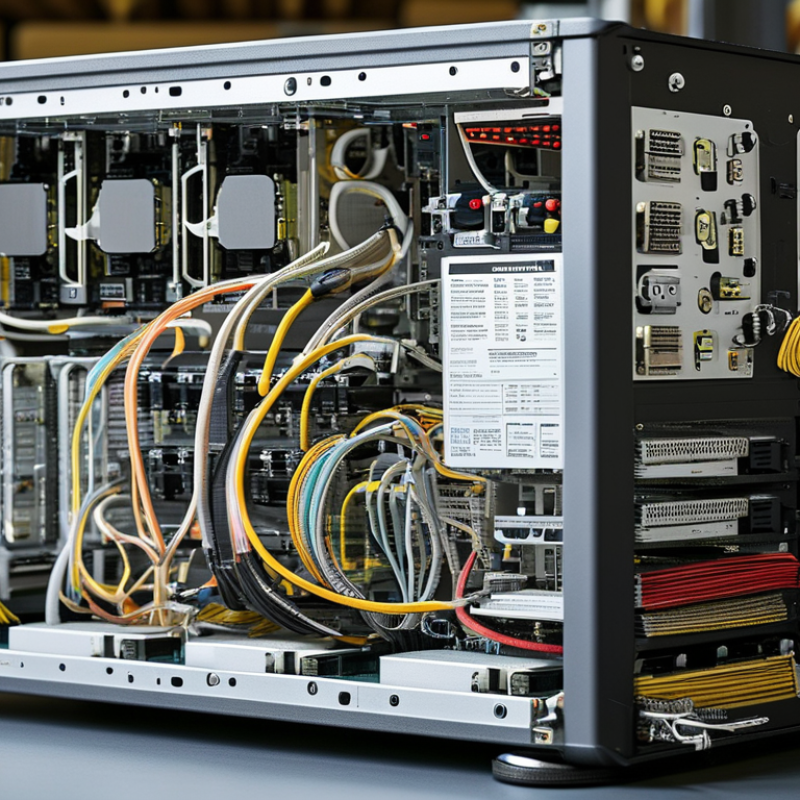
What Are Rack-Mounted Devices and How Do They Work?
Rack-mounted devices are electronic systems designed to fit inside standardized equipment racks. Their height is measured in rack units, or U, with one U equal to 1.75 inches. Common examples include servers, network switches, storage units, power supplies, and monitoring equipment.
These devices work by sharing a structured cabinet environment. Metal rails hold each unit securely, while front panels support maintenance and cable access. Power enters through dedicated distribution units, then reaches the device’s internal components. Fans move air from front to rear, helping control heat during continuous operation. Network and data cables connect the equipment to other systems, often through organized patch panels.
For global buyers, this design supports predictable installation and easier expansion. A technician can replace one unit without rebuilding the entire cabinet. In my experience, clear labeling saves more time than expensive accessories. It also reduces mistakes during remote support. However, rack density creates challenges. Too many devices can block airflow or overload a power circuit. The trade-off is easy to underestimate.
Before purchasing, buyers should check rack depth, mounting hardware, voltage requirements, connector types, and cooling conditions. Shipping dimensions matter too. A device may fit the rack but fail through a narrow doorway. I once planned a compact layout that left too little space for cable bends. It worked, but maintenance became awkward. That small oversight changed how I review equipment drawings. Reliable deployment depends on both technical specifications and practical access.
Why Choose Rack Mounted Devices for Global Buyers?
What Are Rack-Mounted Devices and How Do They Work?
| Device Type | Typical Rack Height | Standard Mounting Width | Typical Depth | Typical Power Consumption | Primary Function | Global Buyer Advantages |
| Rack Server | 1U–4U
1U = 44.45 mm | 19 in / 482.6 mm rack interface | 600–1,000 mm | 300–1,200 W | Runs applications, virtual machines, databases, and network services. | High computing density, scalable capacity, centralized maintenance, and efficient use of floor space. |
| Network Switch | 1U–2U | 19 in / 482.6 mm rack interface | 200–500 mm | 30–250 W | Connects and manages wired network traffic between devices. | Compact installation, predictable cable routing, simple expansion, and easier port management. |
| Storage Array | 2U–4U | 19 in / 482.6 mm rack interface | 600–1,000 mm | 500–2,000 W | Provides centralized data storage, redundancy, and controlled access. | Supports modular capacity growth, organized cabling, service access, and data-center standardization. |
| Rack-Mount UPS | 2U–6U | 19 in / 482.6 mm rack interface | 450–800 mm | 300–3,000 W load capacity | Provides backup power, voltage conditioning, and controlled shutdown protection. | Protects equipment from outages and fluctuations while preserving rack space and service continuity. |
| KVM Console | 1U–2U | 19 in / 482.6 mm rack interface | 450–700 mm | 15–80 W | Provides local keyboard, display, and mouse access to multiple systems. | Reduces separate monitors and peripherals, saving space and simplifying on-site support. |
| Patch Panel | 1U–2U | 19 in / 482.6 mm rack interface | 100–300 mm | Normally passive; negligible power use | Organizes and labels copper or fiber connections for structured cabling. | Improves cable identification, troubleshooting speed, installation consistency, and future expansion. |
Rack Standard
One rack unit (1U) is 44.45 mm high. The widely used equipment mounting width is 19 inches, or 482.6 mm.
Power Compatibility
Equipment designed for international deployment commonly supports 100–240 V AC and 50/60 Hz, subject to the specific product specification.
Installation Check
Buyers should verify rack depth, rail adjustment range, front and rear clearance, connector location, airflow direction, and total load capacity.
Note: Specifications shown are representative industry ranges for comparison. Actual dimensions, power requirements, connector types, environmental ratings, and input-voltage support vary by model and configuration.
Which Global Businesses Benefit Most from Rack-Mounted Devices?
Global businesses with dense, distributed infrastructure benefit most from rack-mounted devices. Cloud service providers use standardized racks to expand computing capacity quickly. Telecom operators deploy them at network hubs and edge locations. Manufacturing firms also rely on compact racks near production lines. These systems reduce floor space and simplify equipment access.
Financial institutions and healthcare networks need controlled, reliable environments. Rack-mounted servers support secure data processing, backup, and monitoring. According to Uptime Institute’s 2024 Global Data Center Survey, power-related failures remain a major outage concern. A structured rack can improve cable management, airflow, and maintenance discipline. Small improvements matter.
Retail groups face another challenge: many smaller sites. Rack-mounted devices can fit in back rooms, regional offices, and local edge rooms. The International Energy Agency’s Electricity 2024 report projects data center electricity use may reach about 945 terawatt-hours by 2030. Energy efficiency is therefore becoming a purchasing factor, not a technical afterthought. Yet racks are not automatically efficient. Poor airflow, overloaded circuits, and unused equipment waste power. Buyers should assess heat loads, service access, local support, and future expansion before choosing a configuration. Field experience often exposes gaps that product sheets hide.
How Do Rack-Mounted Devices Improve Space and Energy Efficiency?
For global buyers, rack-mounted devices offer a disciplined way to use limited technical space. A standard rack can hold servers, storage units, network equipment, and power systems vertically. This reduces floor clutter and shortens cable paths. In practical installations, shorter paths can simplify airflow and maintenance. Better airflow matters because fans work harder in hot conditions. However, density is not automatically efficient. A crowded rack may consume more power and create difficult service conditions. Measure heat output before expanding.
Energy savings usually come from consolidation and control. Multiple workloads can run on fewer, properly sized devices, reducing idle consumption. Modern power supplies, variable-speed fans, and intelligent monitoring also help. Operators can track watts per rack, inlet temperature, and utilization trends. These figures support procurement decisions better than brochure claims. A half-empty rack may still waste energy if oversized equipment stays online. I have seen teams focus on purchase price, then overlook cooling and maintenance costs. That choice deserves reconsideration.
Tips: Leave space between high-heat devices when the rack design allows it. Use blanking panels to prevent hot-air recirculation. Place heavier equipment low for stability. Keep power loads balanced across circuits. Set alerts for temperature and unused capacity. Check regional voltage requirements before ordering. Document every connection with clear labels. Small details help. Still, actual savings depend on workload, room design, and operating habits. Test assumptions with measured data, not optimism.
Why Choose Rack-Mounted Devices for Global Buyers?
How Rack-Mounted Devices Improve Space and Energy Efficiency
In this representative eight-device deployment, rack-mounted equipment uses a standardized 42U rack and occupies approximately 0.6 m² of floor space, compared with about 1.2 m² for eight tower units. The energy figures use typical planning assumptions of 250 W per rack-mounted device and 300 W per tower device operating continuously for 8,760 hours per year. Actual results vary by workload, hardware configuration, and cooling system.
What Standards Ensure Rack-Mounted Devices Fit International Systems?
For global buyers, rack compatibility starts with dimensions, not marketing claims.
IEC 60297 defines 19-inch equipment rack dimensions, while EIA-310 covers mounting widths, hole spacing, and vertical rack units. These standards help a device slide into cabinets across different regions.
Still, “19-inch compatible” can be incomplete. Check chassis depth, rail adjustment, connector clearance, and the actual mounting hardware.
Electrical and environmental standards matter just as much. IEC 62368-1 addresses audio, video, information, and communication technology equipment safety. IEC 61000 series standards support electromagnetic compatibility in electrically noisy facilities. IEC 60529 IP ratings help buyers judge protection against dust and water.
For thermal planning, ASHRAE TC 9.9 guidance supports consistent equipment-environment matching. The IEA’s Electricity 2024 report estimates data centers used 240–340 TWh globally in 2022, potentially rising to 620–1,050 TWh by 2026.
Efficient airflow is no longer optional.
Small details cause expensive failures.
Confirm input voltage ranges, frequency tolerance, earthing methods, and cable orientation before purchase. Ask for test reports, not only certificates. Independent verification is stronger evidence.
Yet standards do not guarantee perfect installation. I have seen compliant devices blocked by rear cable bends. That part is often missed.
Temperature sensors, blanking panels, and rail kits should be checked with the complete rack design.
How Should Global Buyers Evaluate Rack-Mounted Device Options?
Why Choose Rack Mounted Devices for Global Buyers?
How Should Global Buyers Evaluate Rack-Mounted Device Options?
Global buyers should evaluate rack-mounted devices as infrastructure, not isolated products. Start with rack height, depth, rail compatibility, weight, airflow direction, and power input. A device that fits a 19-inch rack may still block rear cabling or exceed the cabinet’s load rating. Measure the room, not only the specification sheet. Small mistakes become expensive during installation.
Power efficiency deserves close attention. The International Energy Agency reported that data centers consumed about 460 terawatt-hours of electricity in 2022. It expects demand could exceed 1,000 terawatt-hours by 2026. Therefore, compare idle power, peak draw, power-factor correction, and cooling requirements. Uptime Institute’s Global Data Center Survey also identifies power availability as a major expansion constraint. A lower purchase price may create higher operating costs. That part is easy to overlook.
Global evaluation also requires service evidence. Check operating-temperature ranges, firmware support, spare-part access, documentation quality, and warranty conditions in the destination market. Ask for measured noise and thermal data. Do not rely on optimistic laboratory claims. The device should support remote monitoring and clear alarm reporting. Standardized mounting helps, but it does not guarantee smooth deployment. I have seen apparently compatible equipment require custom cable work. That was avoidable. Use a weighted scorecard covering reliability, energy use, deployment time, compliance, and five-year total cost. Leave room for uncertainty. Reports provide direction, but the actual site decides performance.
